
Dec 26, 2025
Transactional vs Analytical Databases: 8 Key Differences for Data Modeling
Transactional vs Analytical Databases: 8 Key Differences for Data Modeling
Transactional vs Analytical Databases: 8 Key Differences for Data Modeling
Understand OLTP vs OLAP databases through a data modeling lens. Learn how schemas, relationships, and constraints differ, and how ChartDB helps you visualize both.
Understand OLTP vs OLAP databases through a data modeling lens. Learn how schemas, relationships, and constraints differ, and how ChartDB helps you visualize both.
Understand OLTP vs OLAP databases through a data modeling lens. Learn how schemas, relationships, and constraints differ, and how ChartDB helps you visualize both.

Jonathan Fishner
9 minutes read
TLDR;
TLDR;
• Core difference: Transactional (OLTP) databases optimize for safe writes and normalization. Analytical (OLAP) databases optimize for fast reads and denormalization.
• Why it matters: Modeling both the same way leads to slow writes, broken reporting, or excessive glue code between systems.
• 8 key differences: Covers schema structure, relationships, indexing, constraints, query patterns, scaling, data freshness, and tooling.
• How ChartDB helps: Visualize and compare both transactional and analytical schemas side by side, so your team stays aligned as systems grow.
• Core difference: Transactional (OLTP) databases optimize for safe writes and normalization. Analytical (OLAP) databases optimize for fast reads and denormalization.
• Why it matters: Modeling both the same way leads to slow writes, broken reporting, or excessive glue code between systems.
• 8 key differences: Covers schema structure, relationships, indexing, constraints, query patterns, scaling, data freshness, and tooling.
• How ChartDB helps: Visualize and compare both transactional and analytical schemas side by side, so your team stays aligned as systems grow.
At some point, every data team hits the same weird moment: your production app database and your analytics warehouse both store “orders,” both have “customers,” and yet the schemas look nothing alike. Someone asks, “Why can’t we just use one model for everything?” and you can almost feel the future incidents piling up.
Transactional and analytical databases can look similar on the surface. Underneath, they reward totally different data modeling decisions. If you model them the same way, you usually pay for it later with slow writes, broken reporting, or endless glue code.
I’m Jonathan, founder of ChartDB. I’ve spent years building and working with database schema tools, and I keep seeing the same confusion across teams that scale fast. In this post, I’ll break down what OLTP and OLAP databases actually are, why the differences matter for data modeling, and how teams use ChartDB at the modeling and understanding layer to stay sane as systems grow.
What Is a Transactional Database (OLTP)?
A transactional database, often called OLTP (Online Transaction Processing), is the system that runs your product. It records business operations as they happen: creating an order, updating a user profile, charging a subscription, logging an event.
From a data modeling perspective, OLTP schemas tend to be built for correctness and safe writes.
Why normalization matters in transactional systems
In OLTP, you usually want to store each fact once. A customer’s email lives in one place, not copied into every order. That keeps updates safe and predictable.
How relationships are designed to avoid duplication
Instead of repeating data, OLTP models lean on relationships. You reference the customer from the order. You reference the product from the order line. Those foreign keys are not “nice to have.” They are part of how you keep the data clean.
Why schema changes are risky once a system is live
Once you have real traffic, schema changes become scary. A column rename can break services. A constraint change can block writes. A migration that looked fine in staging can cause lock contention at peak usage. OLTP modeling usually optimizes for stability over time.
What Is an Analytical Database (OLAP)?
An analytical database, often called OLAP (Online Analytical Processing), exists to answer questions, not to run transactions. It powers dashboards, ad hoc analysis, cohorting, forecasting, and reports that slice across large ranges of time.
From a data modeling perspective, OLAP schemas tend to be built for fast reads and simple queries.
Why denormalization is common
In analytics, the cost of joins is often higher than the cost of storing some duplicated data. Many teams denormalize so analysts can answer common questions without chaining five joins.
Fact and dimension thinking
A very common OLAP pattern is facts and dimensions. Facts are measurable events (orders, sessions, payments). Dimensions are the descriptive context (customer, product, region, plan). You model around how people query, not around how the app writes.
Why query simplicity often matters more than write efficiency
OLAP workloads are heavy on reads. You want the query to be obvious, stable, and fast. If it costs extra storage or extra ETL steps to make analysis easier, most teams take that deal.
Transactional vs Analytical Databases: 8 Key Differences That Actually Matter
These are the differences that show up in real life data modeling work. This is also the section where a comparison table helps a lot. You can add it right after this list.
Query shape
OLTP queries are small and specific. “Get one user.” “Create one order.” OLAP queries are wide and aggregating. “Show revenue by region by week for the last 18 months.”
Write vs read patterns
OLTP is write heavy and latency sensitive. OLAP is read heavy and throughput oriented.
Schema change tolerance
OLTP changes are risky because they can break live code paths. OLAP changes are usually less scary because you can rebuild models in batches, but they can still break dashboards and metrics definitions.
Consistency requirements
OLTP often needs strong consistency for business correctness. OLAP can sometimes accept delayed consistency because data arrives through pipelines.
Normalization vs redundancy
OLTP tends toward normalization to prevent duplication. OLAP often accepts redundancy to make queries simpler and faster.
Operational risk
OLTP mistakes break production behavior. OLAP mistakes break reporting and decision making. Both are painful, just in different ways.
Time orientation
OLTP cares about “now.” OLAP cares about “over time.” That difference shows up in partitioning, event modeling, and how you track historical changes.
Audience of the model
OLAP models are built for analysts who rely on an agentic AI tool for data analysis, data scientists, and business stakeholders, with engineers supporting the pipeline.
How ChartDB Helps Model Transactional and Analytical Databases
First, a quick clarification because it matters: ChartDB does not run OLTP or OLAP workloads. It is not a database engine.
ChartDB sits at the data modeling and understanding layer. Teams use it to visualize schemas, explore relationships, and document how data is shaped across systems.
Here is how that plays out for real teams.
Visualize database schemas and relationships
When you import a schema into ChartDB, you get a clear diagram of tables and relationships. That alone helps teams stop guessing. It also makes it easier to review a schema change and spot unintended consequences.
Understand normalized transactional schemas
OLTP schemas can be extremely relational. A single business flow can span ten tables. With a visual diagram, you can trace the relationships quickly and see where constraints are protecting you, or where missing foreign keys are letting bad data slip in.
Design and review denormalized analytical models
In OLAP, the model is often built for humans. Visual modeling helps you review fact tables, dimensions, and how joins will behave in practice. It also helps you catch overcomplicated designs before they become “the dashboard nobody trusts.”
Compare how the same data is shaped for transactions vs analytics
Many teams store similar concepts twice: once for the app, once for analytics. ChartDB helps you put those shapes side by side and actually understand the differences. This is where a lot of accidental complexity comes from, so seeing it clearly is a big deal.
Avoid mixing OLTP and OLAP models as systems grow
A common failure mode is letting analytics needs leak into OLTP tables, or letting transactional constraints leak into analytics models. Visibility helps teams keep boundaries clear. That usually means fewer performance issues, fewer late night migrations, and fewer “why is this number different?” meetings.
Key capabilities that support this use case:
Visual schema diagrams that stay readable as the schema grows
Relationship exploration for tracing joins and dependencies
Model documentation and sharing so the diagram becomes a shared language across teams
If you want to try this on your own schema, you can import a database or SQL and see the relationships visually in minutes.
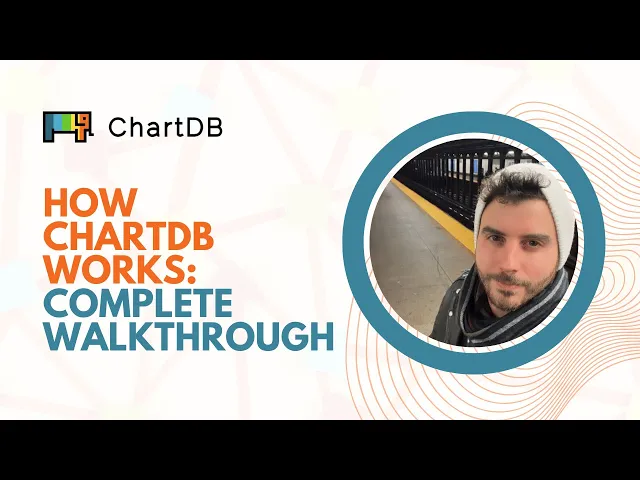
Here’s a quick video demonstrating how ChartDB works: -
CTA: Try ChartDB for free at https://chartdb.io
Wrapping Up
The real difference between transactional and analytical databases is not just performance. It is how you model data for the job.
OLTP models protect correctness and make writes safe. OLAP models prioritize query simplicity and speed for analysis. Keeping those modeling approaches separate is one of the easiest ways to avoid performance issues, broken reporting, and long term complexity.
ChartDB is built to support teams at the data modeling and understanding layer. It helps you visualize and reason about both transactional and analytical schemas, without pretending to be the database itself.
If you want to explore your own schemas visually, try ChartDB for free.
Relevant resources:
At some point, every data team hits the same weird moment: your production app database and your analytics warehouse both store “orders,” both have “customers,” and yet the schemas look nothing alike. Someone asks, “Why can’t we just use one model for everything?” and you can almost feel the future incidents piling up.
Transactional and analytical databases can look similar on the surface. Underneath, they reward totally different data modeling decisions. If you model them the same way, you usually pay for it later with slow writes, broken reporting, or endless glue code.
I’m Jonathan, founder of ChartDB. I’ve spent years building and working with database schema tools, and I keep seeing the same confusion across teams that scale fast. In this post, I’ll break down what OLTP and OLAP databases actually are, why the differences matter for data modeling, and how teams use ChartDB at the modeling and understanding layer to stay sane as systems grow.
What Is a Transactional Database (OLTP)?
A transactional database, often called OLTP (Online Transaction Processing), is the system that runs your product. It records business operations as they happen: creating an order, updating a user profile, charging a subscription, logging an event.
From a data modeling perspective, OLTP schemas tend to be built for correctness and safe writes.
Why normalization matters in transactional systems
In OLTP, you usually want to store each fact once. A customer’s email lives in one place, not copied into every order. That keeps updates safe and predictable.
How relationships are designed to avoid duplication
Instead of repeating data, OLTP models lean on relationships. You reference the customer from the order. You reference the product from the order line. Those foreign keys are not “nice to have.” They are part of how you keep the data clean.
Why schema changes are risky once a system is live
Once you have real traffic, schema changes become scary. A column rename can break services. A constraint change can block writes. A migration that looked fine in staging can cause lock contention at peak usage. OLTP modeling usually optimizes for stability over time.
What Is an Analytical Database (OLAP)?
An analytical database, often called OLAP (Online Analytical Processing), exists to answer questions, not to run transactions. It powers dashboards, ad hoc analysis, cohorting, forecasting, and reports that slice across large ranges of time.
From a data modeling perspective, OLAP schemas tend to be built for fast reads and simple queries.
Why denormalization is common
In analytics, the cost of joins is often higher than the cost of storing some duplicated data. Many teams denormalize so analysts can answer common questions without chaining five joins.
Fact and dimension thinking
A very common OLAP pattern is facts and dimensions. Facts are measurable events (orders, sessions, payments). Dimensions are the descriptive context (customer, product, region, plan). You model around how people query, not around how the app writes.
Why query simplicity often matters more than write efficiency
OLAP workloads are heavy on reads. You want the query to be obvious, stable, and fast. If it costs extra storage or extra ETL steps to make analysis easier, most teams take that deal.
Transactional vs Analytical Databases: 8 Key Differences That Actually Matter
These are the differences that show up in real life data modeling work. This is also the section where a comparison table helps a lot. You can add it right after this list.
Query shape
OLTP queries are small and specific. “Get one user.” “Create one order.” OLAP queries are wide and aggregating. “Show revenue by region by week for the last 18 months.”
Write vs read patterns
OLTP is write heavy and latency sensitive. OLAP is read heavy and throughput oriented.
Schema change tolerance
OLTP changes are risky because they can break live code paths. OLAP changes are usually less scary because you can rebuild models in batches, but they can still break dashboards and metrics definitions.
Consistency requirements
OLTP often needs strong consistency for business correctness. OLAP can sometimes accept delayed consistency because data arrives through pipelines.
Normalization vs redundancy
OLTP tends toward normalization to prevent duplication. OLAP often accepts redundancy to make queries simpler and faster.
Operational risk
OLTP mistakes break production behavior. OLAP mistakes break reporting and decision making. Both are painful, just in different ways.
Time orientation
OLTP cares about “now.” OLAP cares about “over time.” That difference shows up in partitioning, event modeling, and how you track historical changes.
Audience of the model
OLAP models are built for analysts who rely on an agentic AI tool for data analysis, data scientists, and business stakeholders, with engineers supporting the pipeline.
How ChartDB Helps Model Transactional and Analytical Databases
First, a quick clarification because it matters: ChartDB does not run OLTP or OLAP workloads. It is not a database engine.
ChartDB sits at the data modeling and understanding layer. Teams use it to visualize schemas, explore relationships, and document how data is shaped across systems.
Here is how that plays out for real teams.
Visualize database schemas and relationships
When you import a schema into ChartDB, you get a clear diagram of tables and relationships. That alone helps teams stop guessing. It also makes it easier to review a schema change and spot unintended consequences.
Understand normalized transactional schemas
OLTP schemas can be extremely relational. A single business flow can span ten tables. With a visual diagram, you can trace the relationships quickly and see where constraints are protecting you, or where missing foreign keys are letting bad data slip in.
Design and review denormalized analytical models
In OLAP, the model is often built for humans. Visual modeling helps you review fact tables, dimensions, and how joins will behave in practice. It also helps you catch overcomplicated designs before they become “the dashboard nobody trusts.”
Compare how the same data is shaped for transactions vs analytics
Many teams store similar concepts twice: once for the app, once for analytics. ChartDB helps you put those shapes side by side and actually understand the differences. This is where a lot of accidental complexity comes from, so seeing it clearly is a big deal.
Avoid mixing OLTP and OLAP models as systems grow
A common failure mode is letting analytics needs leak into OLTP tables, or letting transactional constraints leak into analytics models. Visibility helps teams keep boundaries clear. That usually means fewer performance issues, fewer late night migrations, and fewer “why is this number different?” meetings.
Key capabilities that support this use case:
Visual schema diagrams that stay readable as the schema grows
Relationship exploration for tracing joins and dependencies
Model documentation and sharing so the diagram becomes a shared language across teams
If you want to try this on your own schema, you can import a database or SQL and see the relationships visually in minutes.
Here’s a quick video demonstrating how ChartDB works: -
CTA: Try ChartDB for free at https://chartdb.io
Wrapping Up
The real difference between transactional and analytical databases is not just performance. It is how you model data for the job.
OLTP models protect correctness and make writes safe. OLAP models prioritize query simplicity and speed for analysis. Keeping those modeling approaches separate is one of the easiest ways to avoid performance issues, broken reporting, and long term complexity.
ChartDB is built to support teams at the data modeling and understanding layer. It helps you visualize and reason about both transactional and analytical schemas, without pretending to be the database itself.
If you want to explore your own schemas visually, try ChartDB for free.
Relevant resources:

Continue Reading

© 2026 ChartDB
Product
Free Tools
© 2025 ChartDB
Product
Free Tools
© 2025 ChartDB